
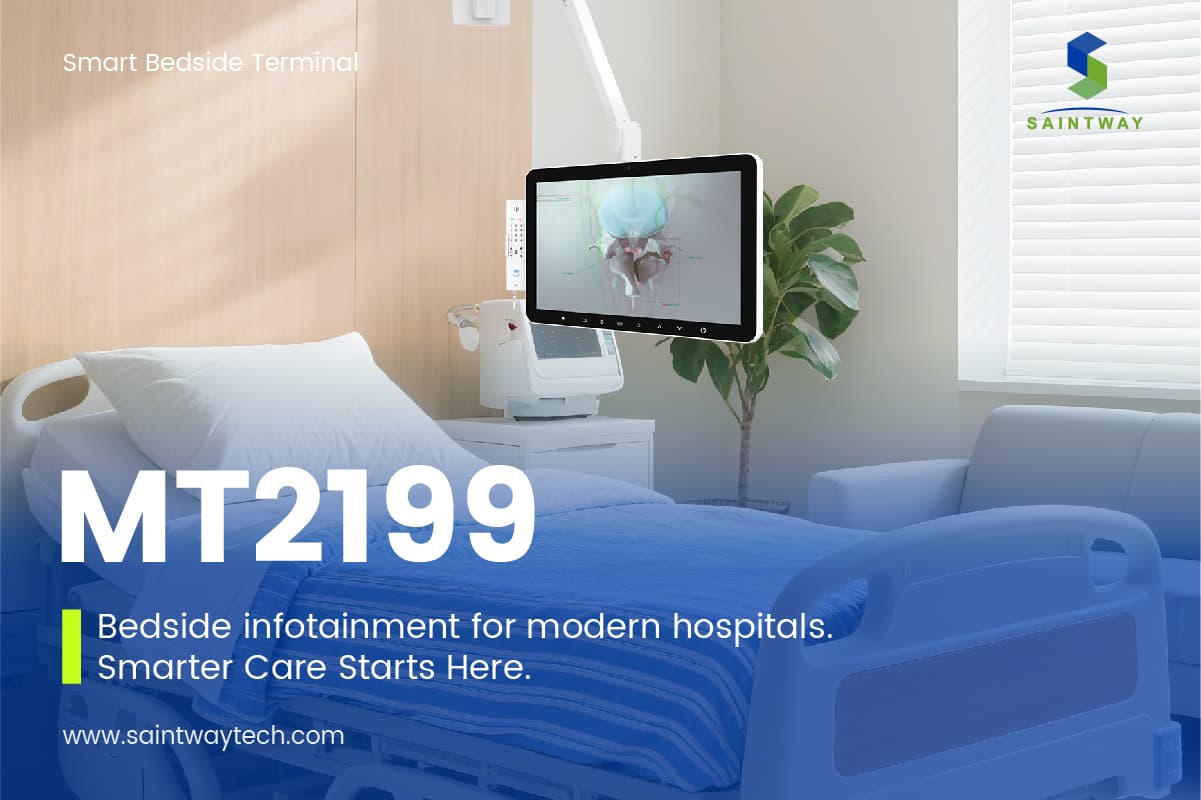
Hospitals and long-term care facilities face a constant dilemma: how to improve patient satisfaction and reduce stress without increasing infection risks or maintenance costs. For patients recovering from surgery, undergoing long-term chemotherapy, or simply navigating a difficult hospitalization, access to entertainment is not a luxury; it is a clinical tool. A TV for hospital bed setups serves as a critical piece of wellness equipment, helping to lower cortisol levels, distract from pain, and shorten perceived recovery times.
However, choosing the correct display technology is more complex than picking a standard consumer TV. The environment of a hospital room is distinct. It involves limited space, high-traffic sanitation protocols, specialized mounting requirements, and strict safety standards for electrical devices near medical equipment. Procurement managers, biomedical engineering staff, and facility directors need a clear framework for evaluating which displays offer the best balance of reliability, cost, and patient comfort. This guide breaks down the essential technical specifications, installation options, and comparative advantages of different TV formats specifically designed for or adaptable to hospital bed environments.
Understanding the Unique Demands of Hospital Environments
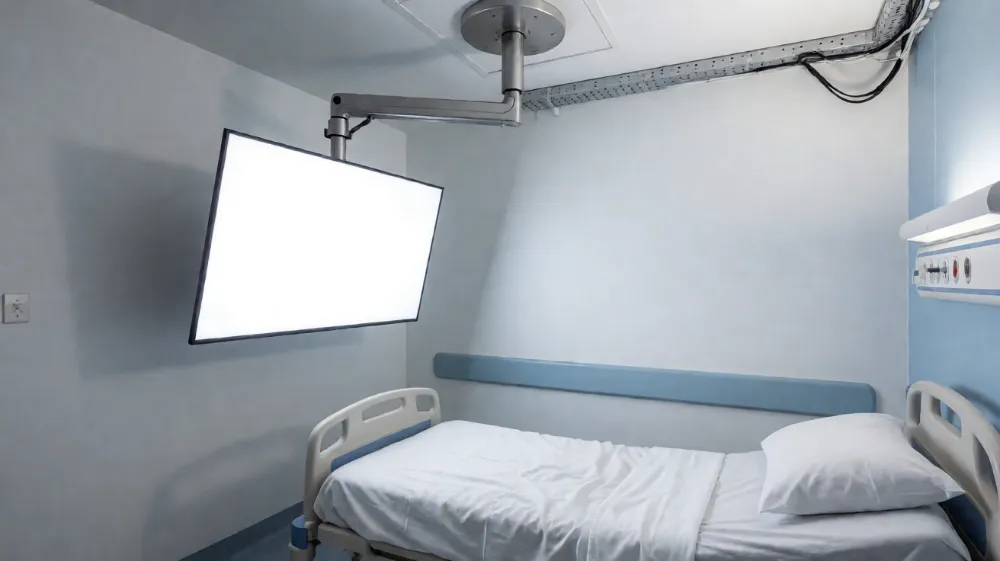
A standard living room television is rarely suitable for direct use on a hospital bed or in a high-density medical ward. The primary challenge is space. Hospital beds often have limited ceiling height, and the space between the bed and the wall is occupied by IV poles, monitors, and nursing stations. Therefore, the “TV for hospital bed” concept usually refers to two main categories: ceiling-mounted displays that are angled downward over the bed, and portable or bedside-mounted units that are tethered to the bed frame.
The Case for Ceiling-Mounted Displays
Ceiling-mounted TVs are the gold standard for acute care wards. They keep the display out of the path of moving equipment and allow for easy room turnover. The key here is the mount. A simple bracket is insufficient. Hospitals require articulating arm systems that allow the screen to be fully retracted against the ceiling for cleaning and extended over the patient for viewing.
Key Technical Requirements for Ceiling Units:
- Resolution: 1080p Full HD is the current minimum. 4K is increasingly common for premium suites and private rooms, offering sharper text for patients who may need to read medication instructions or news on-screen.
- Pixel Pitch and Viewing Angle: Since the TV is mounted at an angle, the panel must offer wide viewing angles (178°/178°) with minimal color shift. IPS panels are preferred over VA panels for this application because they maintain brightness and contrast even when viewed from a sharp downward angle.
- Brightness: Hospital rooms often have harsh artificial lighting. A display with a minimum of 300 nits, ideally 400+ nits, is necessary to ensure visibility without the patient having to squint.
- Safety Standards: The unit must be VESA compliant and have a low center of gravity. The cable management system must be strain-relieved to prevent accidental unplugging during patient movement.
The Case for Bedside and Portable Units
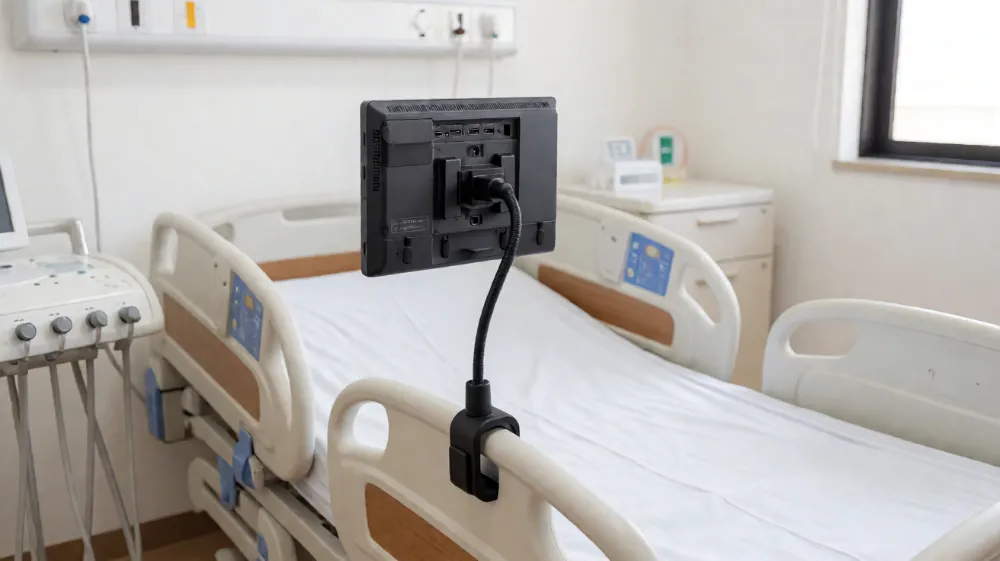
In outpatient clinics, dental offices, or rehabilitation centers, installing a ceiling mount is often impractical or prohibited by building regulations. Here, a “TV for hospital bed” takes the form of a compact, portable unit. These devices are typically 21-inch to 32-inch screens on a gooseneck stand that clamps onto the bed rail.
Key Technical Requirements for Bedside Units:
- Power Flexibility: These units must operate on standard AC power but also offer a battery backup option or be able to draw power from the bed’s integrated power hub.
- Lightweight Design: Nurses and patients frequently adjust the position of these units. A heavy monitor requires two-person lifting, which is a liability. Lightweight magnesium alloy or plastic chassis are preferred.
- Compact Footprint: The base must be small enough to fit within the bed rail spacing without obstructing the patient’s movement or the nurse’s access to side rails.
- Integrated Tuners: In portable scenarios, users may not have access to a central cable drop. Integrated digital tuners (ATSC/DVB-T depending on the region) and Wi-Fi connectivity for streaming services (Netflix, YouTube, Hulu) are essential.
Specification Comparison: Ceiling vs. Bedside vs. Portable
To assist in procurement decisions, the following table compares the three primary deployment methods for televisions in patient care settings. This data highlights the trade-offs between convenience, space utilization, and cost.
| Feature | Ceiling-Mounted (Standard Ward) | Bedside-Clamp (Outpatient/Rehab) | Portable/Stand-alone (Consultation) |
|---|---|---|---|
| Ideal Screen Size | 32″ – 50″ | 21″ – 32″ | 17″ – 24″ |
| Resolution | 1080p to 4K UHD | 1080p HD | 720p to 1080p |
| Installation Complexity | High (Requires Drilling) | Low (Clamp-on) | None (Plug-and-Play) |
| Viewing Angle | Downward / Lateral | Direct / Lateral | Direct |
| Cleaning Accessibility | High (Retractable) | Medium (Fixed Arm) | N/A (Mobile) |
| Cable Management | Concealed (Ceiling to Wall) | Exposed (Needs Channeling) | Exposed (Coiled Cord) |
| Cost Range (Unit Only) | $1,200 – $3,500 | $400 – $900 | $200 – $600 |
| Power Source | Hardwired AC | Hardwired or Battery | AC or Large Battery |
| Best Use Case | Acute Care, ICU, General Ward | Dental, Orthopedics, Physio | Doctor-Office, Mobile Units |
Note: Cost estimates include basic hardware. Ceiling installation requires additional labor costs for drywall drilling and arm installation, which can add $300–$800 per room.
Critical Components of a Complete Hospital TV System
Buying the screen is only half the equation. A functional “TV for hospital bed” setup requires several supporting components that ensure reliability and user experience.
1. Articulating Mount Arms
The mount is the mechanical heart of the installation. It must support the weight of the TV with a safety factor of 2x. Look for:
- Double Articulation: Allows independent horizontal and vertical movement.
- Swivel Range: Minimum 180-degree swivel to allow the screen to be angled for a single patient or retracted for room cleaning.
- Load Capacity: Rated for at least 30 lbs for standard 40-inch models.
- Material: Powder-coated steel or aluminum to resist corrosion from frequent disinfectant sprays (quaternary ammonium compounds).
2. Cable Management and Safety
Loose cables are tripping hazards and infection risks. The system must include:
- Ceiling Drops: Conduits from the ceiling to the wall behind the bed.
- Strain Relief: Cables must be secured with velcro ties or cable clips at intervals not exceeding 12 inches.
- Locking Connectors: HDMI and power connectors with locking mechanisms to prevent disconnection during bed adjustments.
3. Content Management and Interactivity
Modern hospitals are moving away from passive viewing to interactive engagement. This involves:
- Hospital Bedside Kiosks: Tablets or screens integrated into the bed frame that allow patients to order food, request nurses, and access entertainment apps.
- Digital Signage Integration: The ability to switch the TV screen to display hospital-specific news, health tips, or safety reminders when the room is not in use.
Addressing Infection Control and Hygiene
One of the biggest objections to adding electronics to the bedside is the risk of cross-contamination. Hospitals use harsh chemicals to sanitize surfaces. If the TV is not designed for this, it will degrade quickly.
- Coatings: Opt for screens with anti-microbial coatings (e.g., silver-ion infused). These do not replace chemical cleaning but inhibit bacterial growth between cleanings.
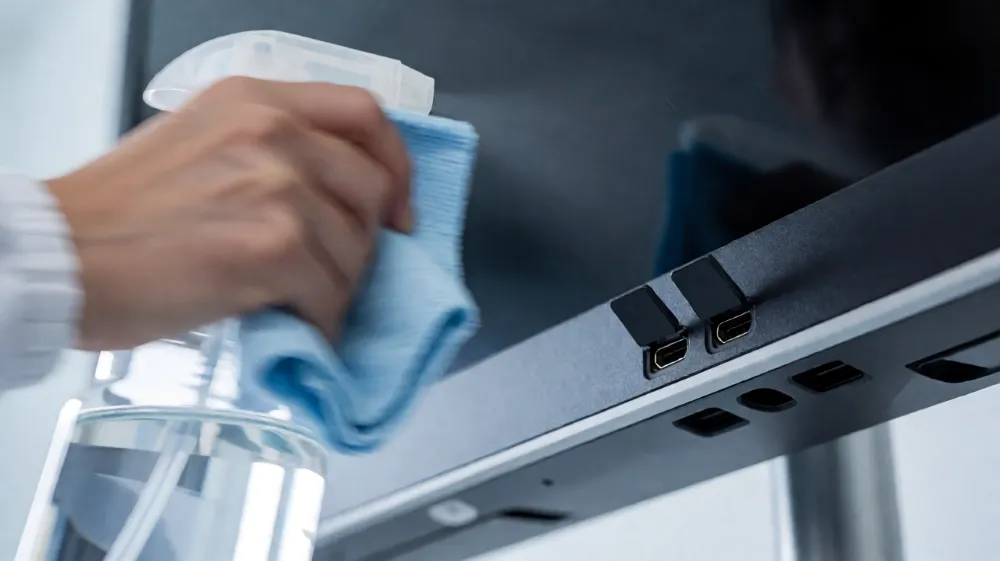
- Sealed Ports: Ensure HDMI and USB ports have protective flaps that stay closed when not in use, preventing dust and liquid ingress.
- Material Durability: The bezel and casing should be made of medical-grade polycarbonate or ABS plastic that does not yellow or crack under UV exposure from fluorescent or LED hospital lighting.
- Cleaning Protocol: The mount and screen must be mappable to the facility’s standard cleaning route. Retractable ceiling mounts are superior because they allow the screen to be tucked away, but when deployed, the glass surface is easily wiped with standard hospital disinfectants (IPA 70% or Quats) provided the manufacturer confirms chemical compatibility.
User Experience: What Patients Actually Need
From the perspective of the end-user (the patient), a TV for a hospital bed must address specific psychological and physical needs.
- Ease of Control: Patients are often weakened, in pain, or on sedation. Complex remote controls with multiple buttons are frustrating. The ideal solution uses a simplified remote with large, tactile buttons: Power, Volume, and a “Favorites” button that cycles through pre-set channels (e.g., News, Movies, Faith).
- Viewing Distance and Comfort: Ceiling mounts must be positioned at a distance of 2 to 3 times the screen size to prevent eye strain. For a 40-inch TV, the viewing distance should be roughly 10 to 12 feet.
- Personalization: The ability to log in to streaming accounts (Netflix, Disney+, etc.) is a major comfort factor. This requires either a built-in smart TV operating system (Android TV, webOS, Tizen) or a connected streaming stick (Roku, Fire Stick) that is secured to the mount to prevent theft.
- Audio: Hospital rooms are acoustically dry but can be crowded. While the TV provides entertainment, the audio should be clear. Some facilities use bone-conduction headphones or Bluetooth speakers connected to the TV to avoid disturbing other patients in shared rooms.
Common Mistakes in Procurement
Based on industry experience, three major errors occur when outfitting hospital beds with TVs:
- Ignoring Weight and Balance: Mounting a heavy 4K OLED panel on a standard residential ceiling bracket is a safety hazard. Hospital brackets are engineered for specific weight distributions. Always verify the UL/CE safety rating of the bracket.
- Underestimating Bandwidth: If the hospital provides Wi-Fi for streaming, the IT infrastructure must support multiple simultaneous high-definition streams. A 100-bed ward with 100 concurrent 4K streams will overwhelm a standard enterprise network without proper load balancing.
- Lack of Serviceability: Consumer TVs have 1-2 year warranties. Hospital environments see heavy usage. Procure commercial-grade displays (often labeled “Digital Signage” or “Hospital Grade”) which offer 3-5 year warranties, 24/7 reliability, and dedicated support. These units run hotter and last longer, but they cost 20-40% more upfront.
FAQ
Can I use a standard home television in a hospital room?
It is not recommended for critical care or long-term ward use. While a standard home TV will function technically, it lacks the durability of commercial-grade displays, often has shorter warranty support, and may not meet the rigorous cleaning chemical resistance standards required in healthcare settings. Additionally, home remotes are often too complex for sedated or elderly patients. Use commercial-grade “hospital TV” models that are specifically built for high-cycle use and easy operation.
What is the best mount type for a TV on a hospital bed?
For fixed beds in acute care wards, a ceiling-mounted articulating arm is the best option. It maximizes floor space, allows for easy cleaning, and positions the screen optimally for the patient. For outpatient clinics or portable care, a bed-rail clamp mount is superior because it moves with the bed and requires no structural modification to the room. Always ensure the mount is rated for at least double the weight of the display.
How do we manage cable clutter and safety risks with bedside TVs?
Use integrated cable management solutions such as under-bed raceways or wall channels that hide cables from the main line to the TV. For bedside clamp mounts, use short, strain-relieved cables with locking connectors to prevent accidental unplugging. Additionally, route power cables away from high-traffic paths and use anti-static flooring tapes to secure any floor-running cables. Never allow cables to drape over the bed edge where they can catch on patient clothing or equipment.
Next Steps for Your Facility
Upgrading patient entertainment infrastructure is a significant investment in patient outcomes and staff efficiency. Whether you are outfitting a single private suite or a 100-bed rehabilitation center, the right choice in display technology and mounting hardware reduces noise complaints, improves sleep hygiene for neighboring patients, and accelerates recovery through distraction therapy.
Do not settle for standard consumer electronics that will fail under hospital cleaning protocols. Look for manufacturers who offer commercial-grade displays with medical certification, robust mounting systems, and integrated content management solutions. To start your project, contact a specialized medical AV integrator to audit your facility’s network capacity and power infrastructure. Request a quote for a pilot installation in one department to test the workflow with nursing staff and patients before scaling across the building. A small pilot program can save you thousands of dollars in retrofit costs down the line. Reach out to your preferred supplier today to discuss custom mounting solutions and high-reliability display options tailored to your specific clinical environment.
Latest Content
- Hospital Patient Room TV: Specs & Buying Guide
- The Ultimate Guide to Choosing a Medical Display Manufacturer (2026)
- Reshaping the Ward Experience: From Hardware Terminals to Supply Chain Strategy
- How Can Medical Device Manufacturers Optimize Their Supply Chain Strategy for Resilience and Efficiency?
- How Patient Entertainment Systems Improve Hospital Outcomes & Reduce Healthcare Costs | 2026 Guide