
Introduction
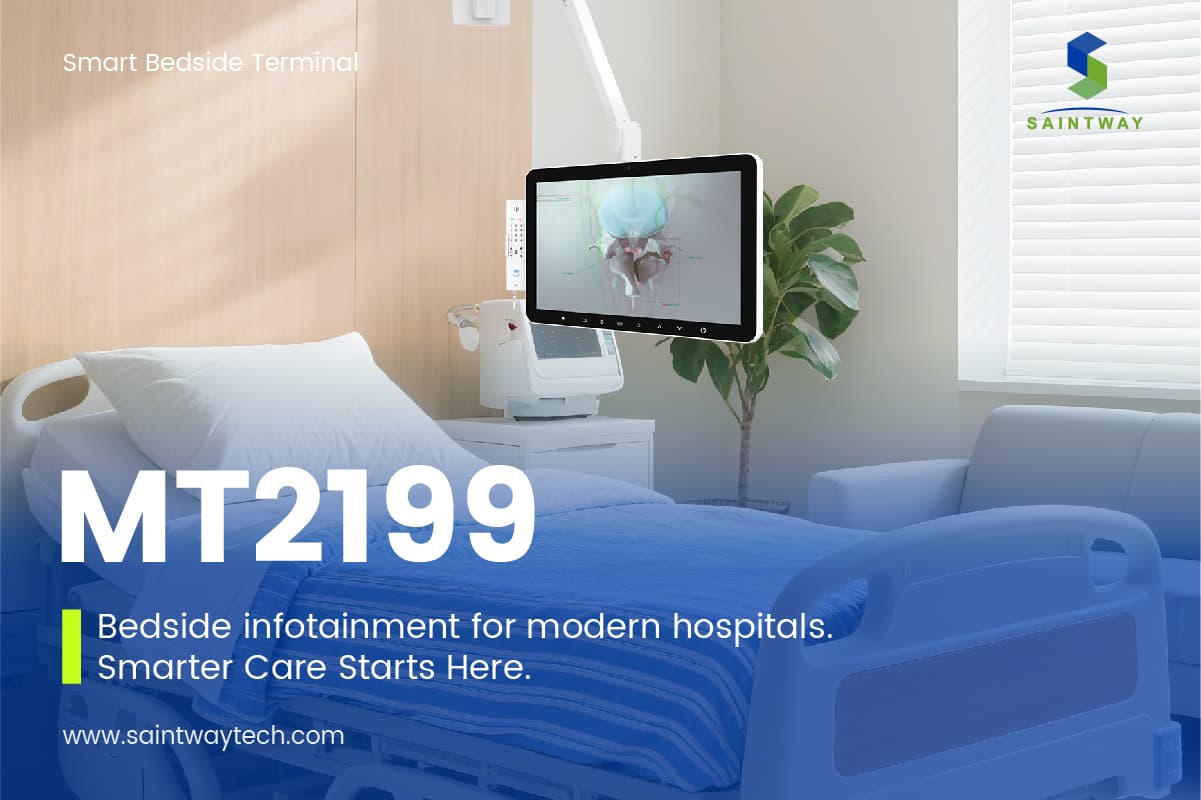
Bedside infotainment systems are comprehensive platforms through which patients access entertainment, information, services, and communication during hospitalization. They typically cover television, video on demand, internet access, hospital service menus, patient education, nurse call, and patient self-service. Compared with traditional ward television, modern bedside infotainment emphasizes interoperability with hospital information systems, patient self-service workflows, and inpatient experience management.
Hospitals vary widely in size, budget, IT maturity, and patient population, so procurement decisions require trade-offs among functional coverage, cost structure, operational capability, and patient experience. This guide is based on publicly available, industry-general knowledge. It compares major solution categories across multiple dimensions, offers scenario-based recommendations, and highlights risks and cautions for hospital administrators, procurement leaders, and medical IT staff.
Solution Categories and Overview
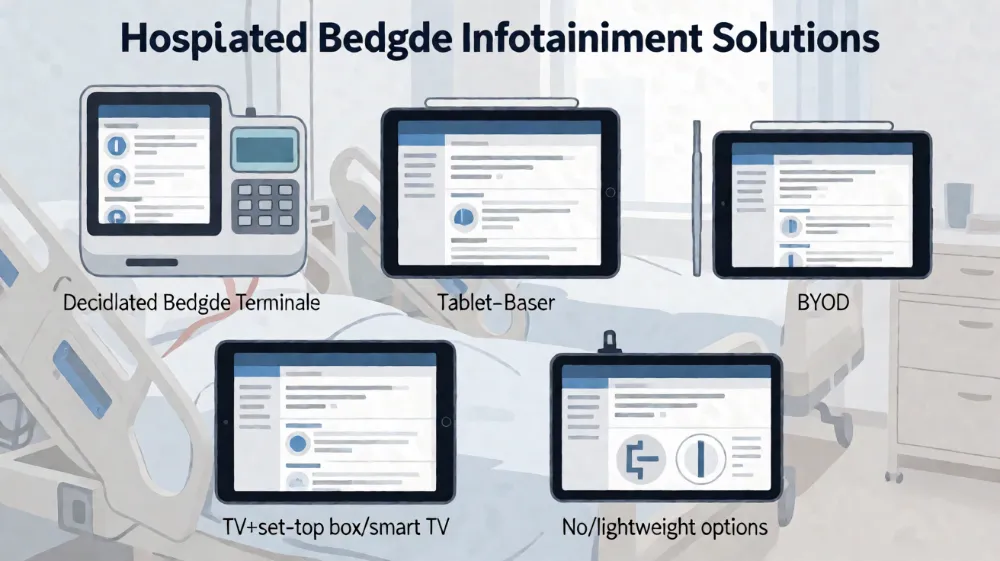
1. Dedicated Bedside Terminals
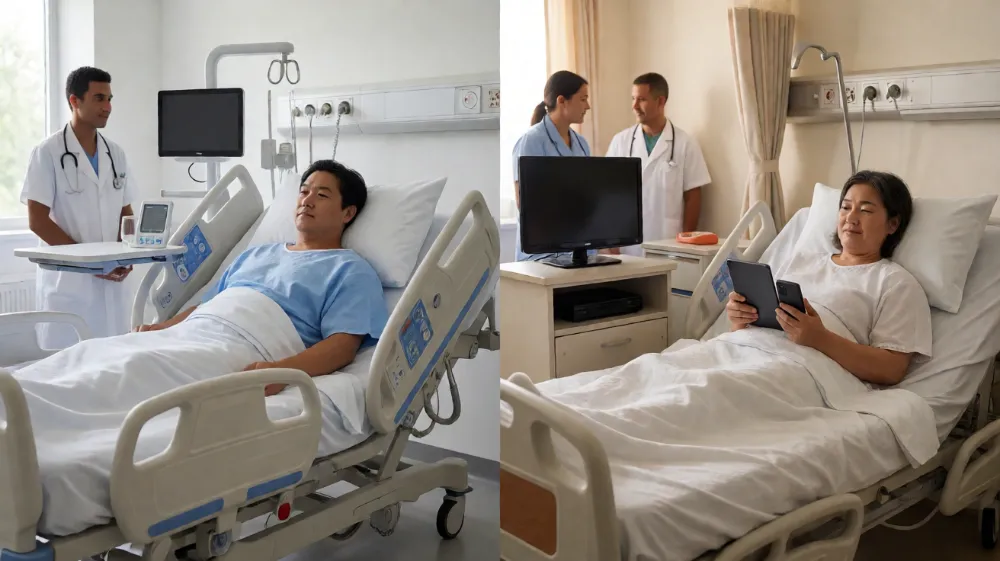
Dedicated bedside terminals are purpose-built devices installed at or near the bed, usually comprising a display, control panel, speakers, and network interfaces. Some models integrate nurse call, bed control, or card readers. Their software is typically a customized patient interaction interface that can deeply integrate with hospital information systems.
Strengths include durable hardware, a unified interface, centralized management and upgrades, and designs that can be adapted to medical environments. Drawbacks include higher initial hardware investment, longer deployment cycles, and the need to consider full-device replacement at refresh time.
2. Tablet-Based Solutions
Tablet-based solutions use general-purpose or medical-grade tablets as the carrier, delivering entertainment, information, and services through dedicated apps or browsers. Devices may be fixed to bedside mounts or centrally distributed and collected by nursing staff.
Strengths include a consumer-electronics-like interaction experience, flexible software updates, rapid feature iteration, and suitability for patient education and surveys. Drawbacks include device wear and loss risk, charging management, disinfection workflows, and higher centralized management complexity.
3. BYOD (Bring Your Own Device) Solutions
BYOD solutions allow patients to use personal phones, tablets, or laptops to connect to the hospital wireless network and access entertainment, information, and services through a hospital patient portal or mobile app.
Strengths include the lowest hospital hardware investment, patient familiarity with their own devices, and reduced device management burden. Drawbacks include wide device heterogeneity, difficulty in ensuring uniform compatibility and security, and potential exclusion of elderly or device-less patients.
4. TV + Set-Top Box / Smart TV Solutions
This solution uses the ward television screen as the core display, with set-top boxes or smart TV operating systems providing video on demand, live TV, basic information, and limited services, typically controlled by remote or bedside control panel.
Strengths include large display size, strong entertainment experience, high patient acceptance, and reuse of existing TV infrastructure. Drawbacks include limited interaction depth, weaker integration with HIS/EMR and other systems, and constrained expansion of self-service functions.
5. No / Lightweight Solution (Baseline)
The no/lightweight solution means no unified bedside infotainment platform is deployed; only traditional TV, broadcast, or basic nurse call remains, supplemented by paper-based or nursing-station information delivery.
This option has the lowest cost and simplest operations and can serve as a baseline for budget-constrained or transitional scenarios, but patient experience and self-service capability are limited and may affect satisfaction and operational efficiency over time.
Multi-Dimensional Comparison
| Dimension | Dedicated Bedside Terminals | Tablet-Based Solutions | BYOD / Own Device | TV + Set-Top Box / Smart TV | No / Lightweight |
|---|---|---|---|---|---|
| — | — | — | — | — | — |
| Functional coverage | High: full chain of entertainment, information, services, call, education, self-service | Medium-high: entertainment, information, services, education fairly complete; call depends on integration | Medium: entertainment, information, services depend on portal capability; call usually separate | Medium: entertainment and information strong; self-service and call integration weaker | Low: basic entertainment and call |
| Deployment and operations complexity | High: hardware installation, cabling, centralized management | Medium-high: device distribution, charging, disinfection, MDM management | Low: mainly network and account management | Medium: TV installation and set-top box management | Low: simple maintenance |
| Total cost of ownership structure | High hardware and integration investment; relatively stable operations cost | Higher hardware and loss costs; medium software iteration cost | Low hardware cost; medium network and security investment | Medium display cost; content and licensing costs need attention | Lowest cost |
| Data security and privacy compliance | Strong control: unified terminals, unified policies | Medium: requires MDM and app security policies | Higher risk: heterogeneous devices, complex network boundaries | Medium: attention to accounts and content security | Lower risk but limited function |
| Integration with HIS/EMR/PACS/LIS | Strong: deep integration with clinical and service workflows | Medium-strong: integration via app interfaces | Medium: depends on mobile portal and APIs | Weak to medium: mostly one-way information display | Weak: little to no integration |
| Patient experience and usability | Unified interface, consistent operation, suitable for all ages | Friendly interaction, rich content, low learning cost | Depends on patient device and digital literacy | Good large-screen entertainment; limited interaction depth | Basic experience |
| Scalability and lifecycle | Long hardware lifecycle, upgradable software, but high hardware refresh cost | Fast software iteration, short hardware refresh cycle | Strong scalability, affected by evolution of patient devices | Content and apps scalable; hardware constrained | Weak scalability |
Key Selection Dimension Analysis
Functional Coverage
Functional requirements should be derived from the patient journey, including admission guidance, in-hospital entertainment, patient education, appointment and result inquiry, cost inquiry, meal services, discharge guidance, and nurse call. Dedicated terminals and tablets excel in self-service and education; TV solutions excel in entertainment; BYOD capability depends on hospital mobile portal maturity. Hospitals should first define “must-have” versus “nice-to-have” functions to avoid paying high costs for low-frequency features.
Deployment and Operations Complexity
Operations complexity includes not only installation but also daily disinfection, fault handling, account management, content updates, and user support. Dedicated terminals require bedside cabling and installation, suiting new builds or large-scale renovations. Tablets require charging, disinfection, and loss management. BYOD concentrates operations on network and applications, but support pressure may shift to the hospital. TV solutions are relatively simple to install, yet interaction faults still require technical support. Hospitals should assess IT and nursing team capacity to avoid “deployable but unmaintainable” outcomes.
Total Cost of Ownership Structure
Total cost of ownership should include hardware, software licenses, integration development, content licensing, network upgrades, operations staffing, disinfection consumables, training, and refresh. Dedicated terminals have high upfront investment but stable cost structure. Tablets carry higher hardware loss and refresh frequency. BYOD has low hardware cost but may require stronger network and security investment. TV solutions are medium cost, with ongoing content licensing and set-top box refresh. A 3-to-5-year TCO horizon is recommended rather than purchase price alone.
Data Security and Privacy Compliance
Bedside systems often involve patient identity, admission information, test results, and service records, and must satisfy medical data security and privacy requirements. Dedicated terminals reduce risk through centralized control. Tablets require mobile device management and app security policies. BYOD carries the highest risk and needs network isolation, authentication, least privilege, and audit logging. TV solutions need attention to shared accounts and screen privacy. Regardless of solution, data collection scope, storage location, access control, and audit mechanisms should be clearly defined.
Integration with HIS/EMR/PACS/LIS
Integration capability determines whether the system is merely an “entertainment device” or a “service entry point.” Deep integration enables bedside viewing of test reports, service booking, cost inquiry, and patient education record write-back. Dedicated terminals and tablets generally offer stronger integration potential; TV solutions are mostly information display; BYOD depends on mobile portal and API capability. Hospitals should require standardized interfaces, data dictionaries, and integration test plans, leaving room for future upgrades.
Patient Experience and Usability
Patient experience includes interface clarity, step count, font size, voice assistance, multilingual support, network stability, and content quality. Elderly and digitally less-literate patients need simpler interaction. Dedicated terminals and tablets can deliver consistent experience; TV solutions offer better entertainment; BYOD depends on the patient’s own device. A small-scale patient usability test is recommended before selection.
Scalability and Lifecycle
The system should support feature expansion, content updates, interface upgrades, and hardware refresh. Dedicated terminals have long hardware lifecycles but high refresh cost. Tablets iterate software quickly but hardware ages fast. BYOD scales well but is affected by external device evolution. TV solutions extend content easily but are constrained in interaction. Hospitals should clarify upgrade paths, compatibility commitments, and retirement strategies to avoid technology lock-in.
Scenario-Based Recommendations
Large Tertiary Hospitals
Large tertiary hospitals have high patient volume, complex services, and strong IT foundations, and are suited to dedicated bedside terminals or tablet solutions with deep integration. For new wards, unified cabling and installation can be planned; for existing renovations, construction impact on ward operations must be assessed. Priority should be given to centralized management, data security, and integration capability, with a dedicated operations team.
Small and Medium Hospitals
Small and medium hospitals have limited budget and IT capacity and may prioritize TV + set-top box solutions or lightweight solutions, supplemented by a mobile portal. If self-service demand is clear, a pilot tablet deployment can be considered. Phased construction is recommended: entertainment and basic information first, then gradual service expansion.
New Build vs. Existing Renovation
New builds can plan network, power, installation positions, and disinfection workflows at the infrastructure level, suiting dedicated terminals or tablets. Existing renovations must consider cabling difficulty, construction disruption, ward space, and installation feasibility, and may favor TV or BYOD solutions as transitional options. Renovation projects should begin with on-site assessment and pilot deployment.
Budget-Constrained Scenarios
When budget is limited, a no/lightweight solution can serve as baseline, or BYOD can reduce hardware investment, but network security and patient support must be strengthened. Piloting in selected wards before scaling is advisable. Avoid sacrificing basic operations capability for comprehensive functionality.
Risks and Cautions
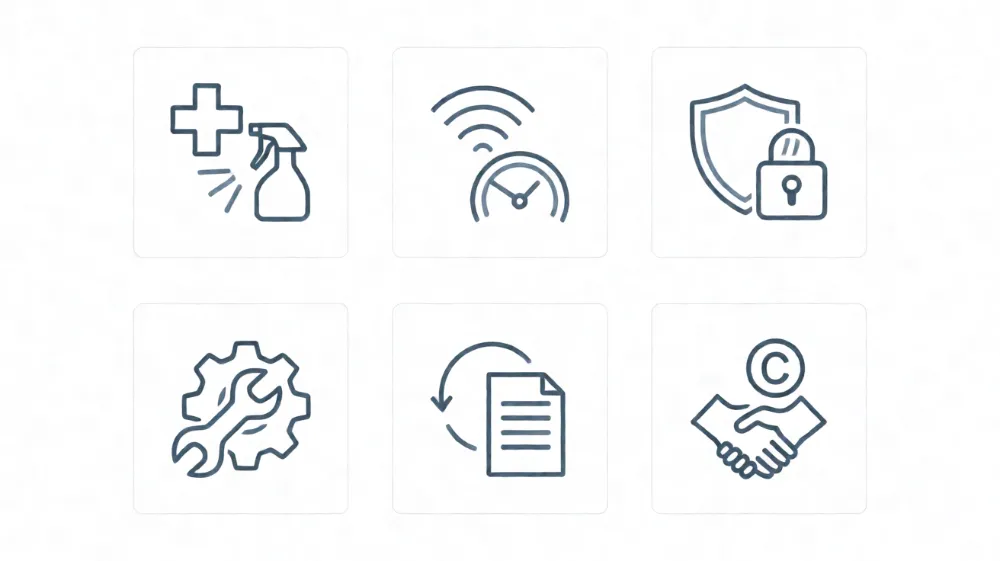
- Infection control: device surfaces must support medical-environment disinfection; disinfectant compatibility, cleaning frequency, and responsibility must be defined.
- Device disinfection: tablets and terminals need established disinfection procedures and records to avoid cross-infection.
- Network bandwidth: video on demand, internet, and system integration impose high network demands; bandwidth assessment and QoS planning are required in advance.
- Patient privacy: screen visibility, account login, information display, and data storage must prevent leakage.
- Maintenance responsibility: hardware, software, network, and content operations responsibilities must be clear to avoid buck-passing.
- Refresh and updates: device refresh and software upgrade plans are needed to avoid aging systems degrading experience and security.
- Content licensing: video and educational content require attention to copyright and compliance.
- User support: patient and staff training, help mechanisms, and fault response should be included in budget.
Conclusion and Procurement Checklist
There is no universally optimal bedside infotainment solution; selection should balance hospital size, budget, IT capability, patient population, and strategic goals. Dedicated terminals suit deep integration and long-term stable operations; tablets suit rapid iteration and good experience; BYOD suits low cost and high flexibility; TV solutions suit entertainment orientation and existing renovations; no/lightweight solutions suit budget-constrained or transitional scenarios.
Before procurement, complete the following checklist:
- Define functional requirements and priorities, distinguishing must-have from nice-to-have.
- Inventory existing IT infrastructure, network capacity, and integration interfaces.
- Assess operations team capacity and disinfection workflows.
- Calculate total cost of ownership over a 3-to-5-year horizon.
- Require security and privacy compliance plans and audit mechanisms.
- Require standardized integration interfaces and test plans.
- Conduct small-scale pilots and patient usability tests.
- Clarify upgrade, maintenance, and retirement strategies.
- Define responsibility ownership and service level agreements.
- Establish evaluation metrics such as patient satisfaction, self-service usage rate, and operations cost.
Through systematic comparison and phased implementation, hospitals can balance patient experience, operational efficiency, and cost control, avoiding both over-investment and insufficient functionality.
Latest Content
- What Is a Smart TV Box? Complete Guide to Streaming Devices in 2026
- Selecting the Right TV for Hospital Beds: A Practical Guide to Patient Entertainment and Comfort
- Hospital Patient Room TV: Specs & Buying Guide
- Medical Device Supply Chain Management: Resilience & AI Trends 2026
- Bedside Infotainment System: 6 Proven Patient Outcome Benefits