
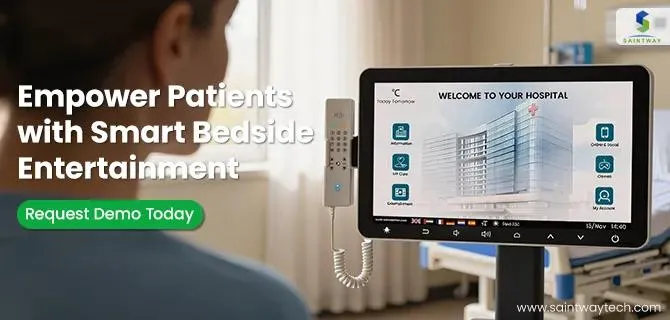
Hospital stays can feel long and isolating. But now, tools like the bedside infotainment terminal change that. These systems sit right by your bed and offer more than just TV shows.
Bedside infotainment terminals, or BIS, pop up in many hospitals today. They go beyond basic screens. You get access to entertainment, health info, and ways to talk to staff. This patient engagement technology turns passive time into active steps for better care. Hospital stay technology like this helps you feel in control.
Think of it as your personal command center. No more yelling for help or staring at blank walls. Instead, you handle requests and learn about your treatment. As hospitals add these systems, patients report less stress and faster recovery. Ready to make the most of yours?
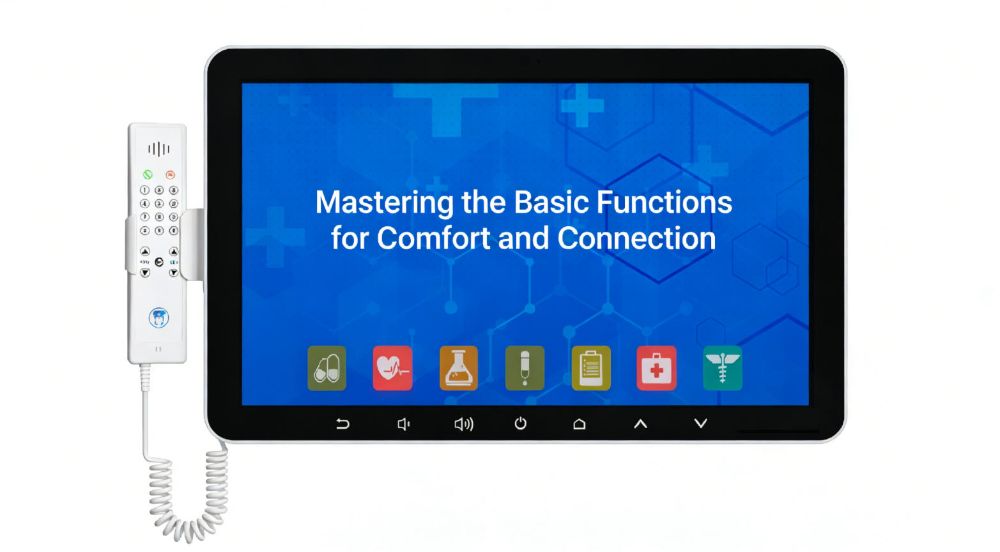
Mastering the Basic Functions for Comfort and Connection
Start with the basics to settle in quick. These features ease boredom and keep you linked to family. You’ll feel more at home right away.
Entertainment Options and Customization
Watch movies or play games to pass time. Many terminals link to streaming apps like Netflix or Hulu. Live TV covers news and sports too.
Pick what fits your mood. Adjust volume to avoid waking neighbors. Turn on closed captions if hearing aids help.
Link your own accounts for safety. Go to settings and enter login details. Use the hospital’s secure Wi-Fi. This keeps your watchlist private.
Try a light game like puzzles during quiet hours. It distracts from discomfort. Personalize brightness to suit your eyes.
Communication Hub: Calls, Messaging, and Information Access
Skip the old call button for small things. Use the terminal to send messages to nurses. Ask for water or a pillow without delay.
Secure chats connect you to doctors too. Systems like Epic or Cerner make this safe. Your info stays protected.
Find hospital maps or visiting hours on screen. Text family updates fast. No need for phone hunts.
One patient shared how messaging cut wait times in half. Staff saw requests pop up instantly. You stay connected without hassle.
Controlling the Immediate Environment
Adjust lights from your bed. Dim them for sleep or brighten for reading. It’s simple touch controls.
Pull curtains open or shut with a tap. Control bed height if linked. Raise the head for meals.
These tweaks make your space cozy. Less strain means better rest. Nurses handle big changes, but you manage daily ones.
Imagine flipping a switch for perfect light. It feels empowering. Use this to match your needs all day.
Leveraging the Terminal for Clinical Education and Adherence
Move past fun to real health gains. The terminal teaches you about your care. This boosts understanding and follow-through.
Accessing Personalized Care Plans and Medications
View your full schedule on the screen. See pill times, doses, and reasons why. Pictures show each drug clearly.
Check procedure details before they happen. Read simple steps and what to expect. It’s better than just hearing it once.
Visual aids stick in your mind. Studies show this cuts errors by 30%. Medication adherence technology like this saves lives.
Log in daily to review. Set reminders for doses. Nurses confirm you get it right.
Interactive Health Literacy Modules
Dive into videos on your condition. Watch animations of how treatments work. It’s like a private tutor at bedside.
Find post-discharge tips too. Learn diet changes or exercise plans. Tailored modules fit your needs.
Data links interactive learning to fewer hospital returns. One study found 20% drop in readmissions. Patient education terminals make info easy.
Pause and replay tough parts. Take notes on screen. Ask staff about unclear bits later.
Symptom Tracking and Feedback Mechanisms
Report pain or nausea with a quick form. Slide bars show levels from low to high. The system alerts staff if it’s bad.
Track trends over days. See if meds help or not. Share logs with your doctor.
This feedback loop improves care fast. Nurses respond based on real data. You feel heard and active in recovery.
Enter updates after meals or rest. It builds a full picture. Thresholds ensure quick help for urgent issues.
Streamlining Hospital Logistics and Reducing Staff Interruption
Use the terminal to handle daily tasks. This frees nurses for important work. You get what you need without waits.
Ordering Amenities and Room Service
Pick meals from a menu on screen. Choose options that fit your diet. Set times to avoid hunger pangs.
Request extras like blankets or soap. It’s like room service at a hotel. Delivery comes prompt.
Adjust orders if tastes change. Gluten-free? Just select it. This cuts mix-ups.
Patients love the control. One said it made meals exciting again. Staff spends less time on simple asks.
Appointment and Schedule Management Viewing
Check your full day at a glance. See therapy slots, blood draws, or doctor visits. Times are color-coded for ease.
No more asking “When’s my turn?” Updates show changes live. Stay prepared and calm.
Print or note key times. Share with visitors too. It smooths the hospital flow.
This view reduces stress. Know the plan, follow it better. Logistics feel less chaotic.
Feedback and Survey Submission
Rate your room or meal right after. Quick surveys pop up on the terminal. Answer in seconds.
Give context, like why service slowed. It helps staff improve fast. Real-time input matters.
Submit anytime for ongoing care thoughts. Hospitals use this to fix issues quick. Your voice shapes better stays.
One facility saw satisfaction rise 15% from these tools. Be honest; it counts.
Advanced Features and Connecting with Telehealth Services
Go deeper with tech ties. Link to remote care and your gadgets. This extends help beyond the room.
Initiating Secure Telehealth Consultations
Start a video call with a specialist easy. Tap the icon for diet advice or counseling. Screen splits for privacy.
Check volume and angle first. Pull up a privacy shade if needed. Staff guides setup.
Talk face-to-face without moving. It’s great for follow-ups. Telehealth from bedside saves energy.
A patient met their social worker this way. Plans formed quick. Recovery sped up.
Integrating Personal Devices (BYOD Considerations)
Connect headphones via Bluetooth. Hear shows private. Log into hospital Wi-Fi for your phone.
Mirror your tablet screen sometimes. Check emails or photos. Follow device guidelines to stay safe.
Limits protect the network. No heavy downloads. It blends your world with hospital life.
Pair step-by-step: Go to settings, search device, connect. Enjoy tunes without bothering others.
Managing Privacy and Data Security Settings
Log out after use. Clear browsing history with one button. Know the system follows HIPAA rules.
Shared terminals? Use guest mode. Avoid entering personal health notes. Staff wipes data regular.
Protect your info like at home. Change passwords if asked. Best practice: Cover screen from views.
If worried, ask IT help. Secure use builds trust. Your privacy stays top priority.
The Bedside Terminal as a Core Component of Modern Healing
The bedside infotainment terminal does double duty. It brings comfort and drives better health steps. Engage with it fully for the best results.
You gain power over your stay. Learn, connect, and manage without constant help. This tech supports the whole healing path.
Key takeaways:
- Personalize entertainment and environment for quick comfort.
- Use education tools to stick to care plans and track symptoms.
- Handle logistics yourself to ease staff load and your day.
- Link to telehealth safely for broader support.
Next hospital visit, dive in. Ask for a demo. Turn downtime into progress. Your recovery deserves it.
Latest Content
- Consumer vs Medical-Grade Tablets in Healthcare: Why Compliance Matters
- The 2026 Definitive Guide to Patient Bedside Entertainment Terminals
- Beyond the Screen: The 2026 Playbook for Smart Bedside Infotainment Systems
- Top Bedside Infotainment Terminal Manufacturers 2026: Reviews & Guide
- The Future is Now: Revolutionizing Patient Care with Bedside Infotainment Systems