
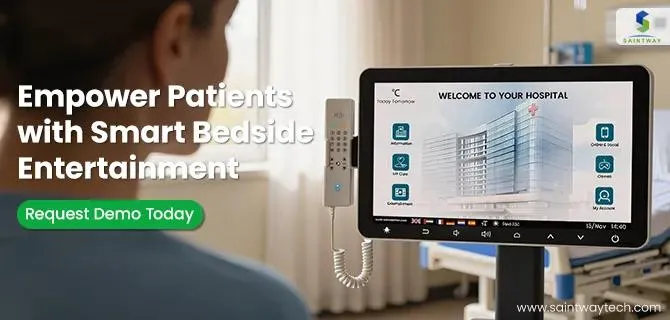
A touch screen is a display that detects and responds to touch, combining an input device and a visual display, commonly found in phones, tablets, and kiosks, using technologies like resistive (pressure-based, durable, less clear) or capacitive (electrical field-based, great clarity, multi-touch, common in modern devices) to enable interaction via fingers or styluses, making devices intuitive and eliminating the need for separate mice or keyboards for many functions.
In hospitals, germs spread fast on shared devices. Nurses and doctors touch keyboards and mice all day. These old tools trap dirt in cracks. Medical touch screens change that. They offer clean surfaces that wipe down easy. A medical-grade touch screen uses special tech for health care. It differs from your home tablet by meeting strict safety rules. Think tough glass with germ-killing layers.
These screens boost clean habits. They speed up tasks for staff. Plus, they help spot issues in patient scans quicker. Let’s explore how this tech fits into daily care.
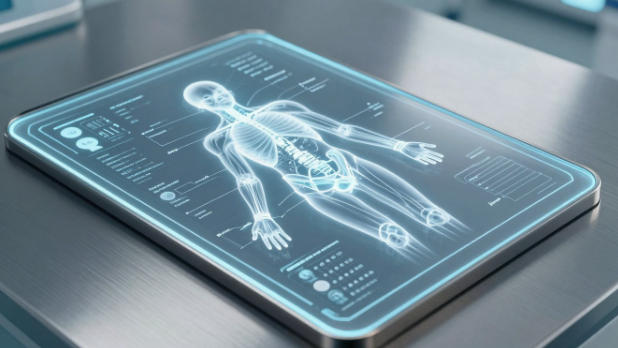
Defining Medical-Grade Touch Screen Technology
Medical touch screens stand out in health settings. They handle heavy use without breaking. Built for clean rooms and busy wards, they last longer than regular screens.
What Separates Clinical Displays from Consumer Tablets?
Clinical displays beat consumer tablets in key ways. They carry IP65 ratings to block dust and liquids. This keeps water from sippy cups or hand sanitizer out. Biocompatibility standards ensure no harm to skin on touch.
Housing uses medical-grade plastics. These resist scratches from daily wipes. Antimicrobial coatings kill bacteria right on the surface. Silver ions in the glass stop germs from growing. No more worries about shared devices spreading bugs.
Tablets for fun lack these features. They crack under hospital stress. Medical ones focus on safety first.
Critical Technology Features: Durability and Interactivity
Durability matters in fast-paced care. Screens take drops and bumps. Projected capacitive touch works with gloves on. Nurses keep gloves during checks. Resistive touch needs bare fingers, so PCAP wins here.
Anti-glare coats cut reflections. Bright lights in surgery rooms stay clear. High brightness hits 500 nits or more. Teams see details from any angle. Wide viewing helps when doctors gather.
Stylus support adds precision. Draw on scans or sign forms fast. Batteries last shifts without recharge.
Regulatory Compliance and Safety Standards
Rules keep patients safe. IEC 60601 sets electrical safety for medical gear. Screens pass tests for shocks and leaks. No risks in wet areas.
EMC rules stop interference with machines. Heart monitors won’t glitch from screen signals. FDA clears many models for use.
Compliance means trust. Hospitals pick certified screens. This cuts liability and boosts care quality.Infection Control and Hygiene: The Primary Advantage
Germs cause big problems in hospitals. Touch screens fight back with smart design. Clean surfaces lower risks for all.
Antimicrobial Surfaces and Chemical Resistance
Antimicrobial surfaces kill germs on contact. Silver ion tech embeds in glass. It stops 99% of bacteria like staph. No need for extra sprays that wear out.
These screens resist bleach and alcohol wipes. Harsh cleaners won’t fade the display. Hospitals save time on deep cleans. Just quick wipes between patients.
Tests show these coatings last years. They don’t rub off like sprays. Real protection comes built-in.
Eliminating Contamination Vectors: From Keyboards to Touch
Keyboards hide dirt in every key. Mice collect grime on buttons. Touch screens have smooth faces. No spots for bugs to hide.
Wipe the whole surface in seconds. Use soft cloths with approved cleaners. Avoid paper towels that scratch.
For best results:
- Clean after each patient.
- Follow maker’s guide for solutions.
- Check seals for no gaps.
This shift cuts hidden spots. Staff focus on care, not scrubbing.
Real-World Impact on Infection Rates
Studies link clean tech to fewer infections. One hospital report showed 30% less microbial growth after touch screen switch. CDC backs easy-clean devices in guidelines.
Theory holds: Less touch means less spread. Flu bugs drop on flat surfaces. Hospitals track HAIs and see drops.
In 2025, more centers report gains. Touch screens prove their worth in data.
Enhancing Clinical Workflow and Point-of-Care Efficiency
Workflows speed up with touch tech. Staff access info fast at bedsides. No more hunting for charts.
Streamlining Electronic Health Record (EHR) Access
Touch screens make EHR entry quick. Tap to log vitals or meds. Barcode scanners pair for safe checks. BCMA cuts wrong drug errors.
Stylus lets you sign orders neat. No smudges like on paper. Bedside access saves steps back to stations.
Nurses chart in real time. This flags issues early. Patients get better watch.
Improving Diagnostic Imaging Visualization
Special screens show clear images. Radiology uses high-res displays for X-rays. Multi-touch lets teams zoom together. Annotate CT scans on the spot.
Pathologists review slides with pinch gestures. Colors stay true for accurate reads. No distortion in group views.
This setup aids fast decisions. Surgeons plan cuts from sharp pics.
Integration with Hospital IoT and Mobile Carts
Screens link to IoT devices. Pull data from beds or pumps. Wi-Fi keeps all connected.
Mobile carts roll to rooms. Touch hubs control everything. Bluetooth ties in scanners.
Secure mounts prevent tips. Low profiles fit tight spaces. Staff move care where needed.
Applications Across the Healthcare Continuum
Touch screens fit many spots in care. From surgery to home links, they adapt. Broad use shows their power.
Operating Rooms and Surgical Navigation
ORs demand sterile setups. Screens stay outside fields but show key data. Bright displays beat overhead lights.
They tie to navigation tools. Surgeons touch to adjust robot arms. Feedback comes instant.
Glove-friendly touch keeps flow. No breaks for bare hands.
Patient Engagement and Interactive Portals
Bedside screens engage patients. Watch shows or order food via touch. Easy menus build comfort.
Access education vids on meds. Learn post-op care simple. This cuts questions to staff.
Telehealth links let family join. Touch to start calls.
Telemedicine and Remote Collaboration
HD screens host video talks. Specialists join from afar. Share screens for live reviews.
Touch to point at issues. Remote docs guide local teams. This speeds consults.
In rural spots, it brings experts close. Care quality rises without travel.
Implementation Considerations and Future Trends
Pick screens with care. Think long-term needs. Right choice saves money.
Selection Criteria for Procurement Teams
Look at lifecycle costs. Screens should last 5-7 years. Easy parts swaps cut downtime.
Size fits the spot. 24-inch for desks, 15 for carts. Match to view distance.
TCO includes power use and updates. Pick energy-efficient models.
Factors to weigh:
- Warranty length.
- Support in your area.
- Scalability for growth.
The Role of AI and Advanced Sensing
AI adds smarts to screens. Gesture control waves hands for commands. No touch needed.
Proximity sensors wake on approach. Saves battery and time.
Biometrics lock to users. Finger scans keep data safe.
These steps cut contact more. Security tightens too.
Future Outlook: Seamless Interface Design
Tech heads to slimmer frames. 4K res sharpens details. 8K comes for top scans.
Screens blend into walls. Building systems tie in. Voice joins touch for ease.
By 2030, expect full smart rooms. Touch everywhere, clean always.
The Imperative of Hygienic, Intelligent Interfaces
Medical touch screens transform health care. They ensure clean touches that save lives. Workflows run smooth, errors drop.
Key points stand out: Top hygiene fights infections. Fast access boosts efficiency. Strict rules keep all safe.
In the patient path, these tools shine. Adopt them now for better outcomes. Your hospital thrives with sterile tech.
Latest Content
- Consumer vs Medical-Grade Tablets in Healthcare: Why Compliance Matters
- The 2026 Definitive Guide to Patient Bedside Entertainment Terminals
- Beyond the Screen: The 2026 Playbook for Smart Bedside Infotainment Systems
- Touch-Based Bedside Interfaces: Redefining Patient Comfort Through Digital Experience
- The Future of Patient Care: Revolutionizing Hospitals with Bedside Infotainment Terminals