
By Alex Rivera, Healthcare IT Consultant & Former Clinical Engineer – 15 years guiding 40+ hospitals through patient engagement technology decisions.
A medical bedside terminal is no longer a luxury or a simple TV replacement. In modern healthcare facilities across Europe and North America, it has become a central tool for patient engagement, nursing efficiency, and even revenue generation. But choosing the wrong equipment or the wrong manufacturer leads to frustrated nurses, low patient adoption, and expensive retrofits.
This guide helps hospital IT buyers, clinical engineers, and procurement teams make a structured, future-proof decision. We will cover hardware durability (including IP ratings), software integration with EMR/EHR and nurse call systems, safety certifications such as IEC 60601, mounting methods, and how to evaluate manufacturers beyond their brochures.
What Exactly Is a Medical Bedside Terminal Today?
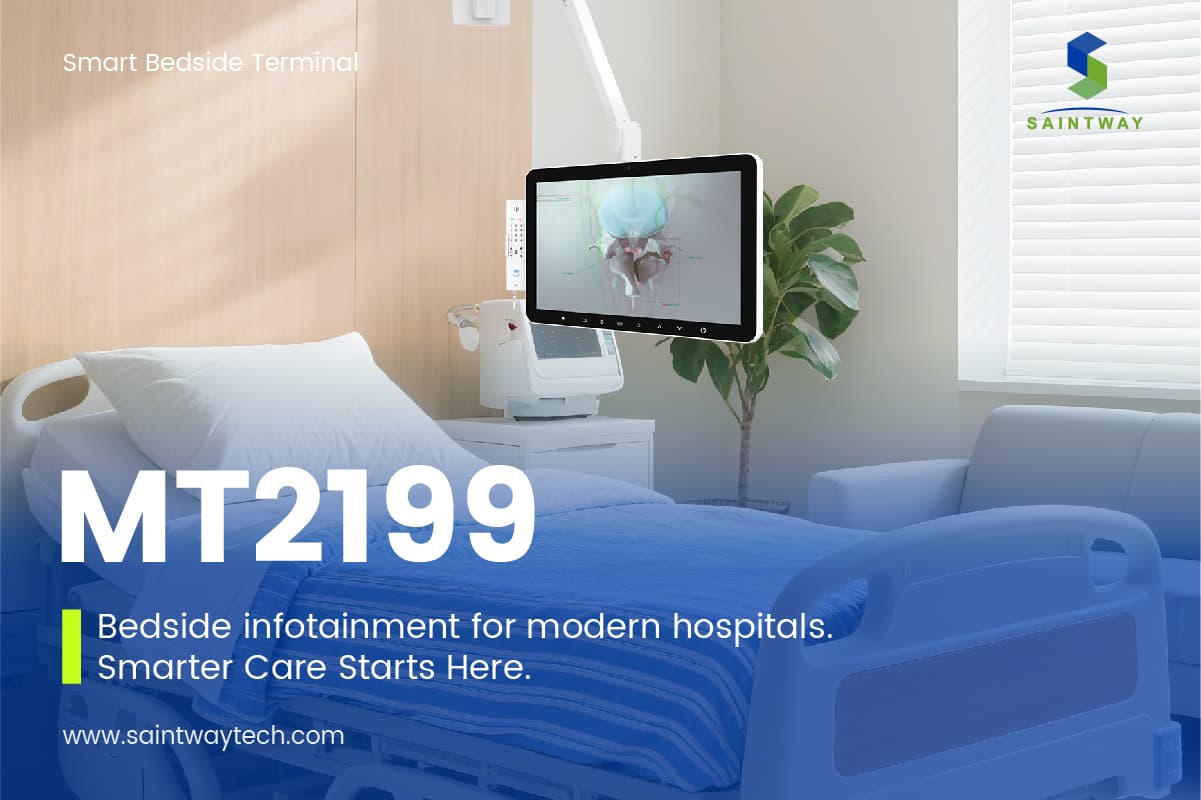
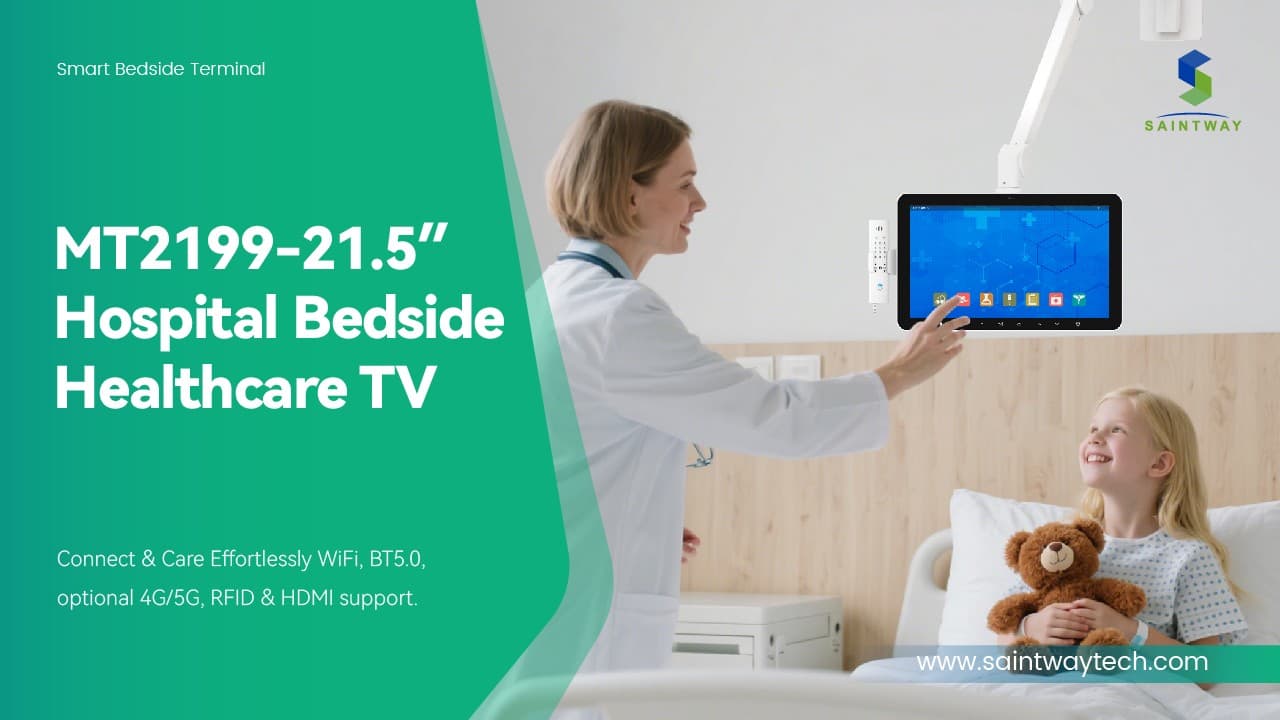
A medical bedside terminal (also called a patient infotainment terminal or hospital bedside smart terminal) is an interactive device mounted next to a patient bed. Unlike a consumer tablet, it is built for clinical environments. Core functions include:
- Communication: Direct audio/video calls to nurses, doctors, or family members.
- Entertainment: Live TV (often with DVB-T/ATSC tuners), streaming services, and music.
- Education: Condition-specific videos and discharge instructions.
- Environment control: Bed positioning, lighting, and room temperature (when integrated).
- Nurse call integration: A physical or on-screen button that alerts the nursing station.
- EMR/EHR access: Secure, read-only or limited documentation for bedside medication verification or daily checklists.
A modern patient engagement system goes beyond hardware—it includes a centralized management platform for content, device monitoring, and usage analytics.
Why Consumer Tablets Fail at the Bedside
Many hospitals have tried using iPads or Android tablets mounted on goosenecks. The results are predictable:
- Battery management nightmare: Dozens of uncharged or missing tablets every shift.
- Infection control gaps: Consumer devices lack easy-to-clean, sealed enclosures.
- No nurse call integration: A patient pressing a software button cannot trigger the hospital’s emergency light or audible alarm.
- Theft and damage: Consumer screens crack easily; anti-theft brackets are an afterthought.
A dedicated medical bedside terminal solves these through power over Ethernet (PoE), antimicrobial housing, and direct relay connections to the existing nurse call system.
Step 1 – Understand Your Clinical Workflows First
Before comparing specifications, map out three core workflows:
- Nursing workflow: Does the terminal reduce walk time? Can nurses acknowledge a patient request from the terminal itself or only from a central station?
- Patient workflow: Can an elderly patient with limited dexterity start a video call? Is there a large, physical nurse call button?
- Environmental services workflow: How is the terminal cleaned between patients? Does the screen tolerate hospital-grade disinfectants (quaternary ammonium or bleach wipes)?
Hospitals that skip this step often end up with terminals that have impressive specs but terrible day-to-day usability.
Step 2 – Hardware Specifications That Matter
Not every rugged feature is necessary for a general ward. Focus on these five hardware criteria:
Display size and touch sensitivity: Most general wards work well with 10‑ to 13‑inch screens. ICUs or isolation rooms may benefit from larger 15‑ to 18‑inch displays for remote viewing. Capacitive touch that works with standard nitrile gloves is mandatory. Avoid resistive touchscreens—they frustrate staff.
IP rating – why IP54 is the baseline: In a general ward, spills (water, juice, urine) and dust are common. IP54 protects against splashing water and airborne dust. For ICUs, isolation wards, or burn units where wet cleaning is aggressive, choose IP65 or higher. Some manufacturers offer IP66 terminals for high‑pressure washdown.
Power and data – PoE is your friend: Power over Ethernet (PoE, IEEE 802.3af/at) delivers both power and network through a single cable. This simplifies installation, reduces electrical work, and allows the terminal to remain operational during a building power fluctuation (backed by the network switch’s UPS). Avoid terminals that require separate DC adapters—they create cable clutter and more failure points.
Mounting system – VESA is the standard: A VESA-compliant mounting pattern (75x75mm or 100x100mm) allows you to use off-the-shelf bedside arms from brands like Ergotron, Herman Miller, or local medical furniture suppliers. Proprietary mounts lock you into one manufacturer for spare parts. Ensure the terminal includes strain relief for the PoE cable through the mount arm.
Antimicrobial properties: The housing should be treated with antimicrobial additives (silver ion or similar), and the front glass should be seamless to prevent fluid ingress around buttons. Removable bezels for deep cleaning are a plus.

Step 3 – Mandatory Safety and Compliance Certifications
A medical bedside terminal must carry specific certifications to be legally installed in a hospital. Do not accept “we are working on it” from a manufacturer.
IEC 60601-1 (3rd or 4th edition): This is the basic safety and essential performance standard for medical electrical equipment. It covers electrical isolation, leakage current, and mechanical stability.
IEC 60601-1-2 (EMC): Ensures the terminal does not interfere with nearby life-support equipment (ventilators, infusion pumps) and is immune to interference from devices like MRI or diathermy equipment.
IEC 60601-1-6 (Usability): This is increasingly required in the EU and some US health systems. It verifies that the device can be used safely by intended users (nurses, patients, cleaners) without unreasonable risk of error.
UL 60601-1 (for North America): Although harmonized with IEC, UL certification is still referenced in many US construction and fire codes.
Ask the manufacturer for a copy of the test report (not just the certificate) for the specific model you intend to purchase. Some “certified” terminals only passed a subset of tests.
Step 4 – Software Integration: Where Most Projects Stall
Hardware is only half the story. The terminal’s software must talk to three hospital backbone systems.
EMR/EHR interface (HL7 or FHIR): At minimum, the terminal should display a patient’s name, care team members, scheduled procedures, and daily activity plan. Advanced integration allows bedside medication verification (barcode scanning of a wristband and medication label). Verify whether the manufacturer provides a certified HL7/FHIR interface or expects your IT team to build custom APIs. The latter is a major budget risk.
Nurse call system integration (direct relay or IP-based): The physical nurse call button on the terminal must trigger the hospital’s existing nurse call infrastructure—not just a software pop-up on a workstation. This requires a dry contact relay (for legacy analog systems) or SIP/XML integration (for modern IP-based systems like Rauland-Borg, Hillrom, or Ascom). Ask for a written integration plan for your specific nurse call brand and model.
Real-Time Location System (RTLS) readiness: Some hospitals use RTLS to track equipment or staff. A bedside terminal with an integrated Bluetooth beacon or UWB chip can help locate the bed itself or allow a nurse to tap the terminal to “check in” to a room. This feature is becoming more common in new builds.
Hand hygiene reminder logic: A useful but often overlooked feature: the terminal can display a reminder “Please clean your hands before touching the patient” when a nurse enters the room (detected via RTLS or bed exit sensor).
Step 5 – Evaluating Medical Bedside Terminal Manufacturers
Avoid vendor lock-in by asking every potential manufacturer the same five questions:
How long have you been shipping this specific model?
A brand new model (less than 12 months in production) carries risk. Look for a proven model with at least two years of field data.
Do you provide an on-site spare unit during warranty repairs?
Downtime of a bedside terminal for a week is unacceptable. The best manufacturers ship a replacement unit within 24 hours and include a prepaid return label.
Is your software platform open or closed?
An open platform (Android or Windows IoT) allows your internal IT team or a third-party vendor to develop small custom apps (e.g., a dietary ordering form). A closed, proprietary platform gives you no flexibility. Most progressive hospitals prefer Android because of the larger developer pool and lower licensing costs compared to Windows.
Can you share three reference hospitals with similar bed counts?
Ask to speak directly with their biomedical engineering or nursing informatics leads. Specifically ask: “What broke most often, and how quickly did the manufacturer respond?”
What is the total cost of ownership over 5 years? Request a breakdown: hardware, per-device software license, central management platform, installation, training, and annual maintenance. Some manufacturers offer attractive upfront hardware pricing but charge high annual software fees that exceed the hardware cost by year three.
Step 6 – Installation and Ongoing Management
Plan for how terminals will be deployed across hundreds or thousands of beds.
Staging and configuration: The manufacturer should pre‑configure each terminal with your hospital’s Wi‑Fi (or wired network settings), nurse call relay mapping, and EMR connection strings. On‑site manual configuration of 200 units is a recipe for errors.
Central management platform: You need a web-based dashboard to push content (patient education videos, hospital information channels), update apps remotely, and monitor device health (online/offline, battery status if any, storage usage). Without this, every terminal becomes an isolated device that must be touched individually for updates.
Cleaning protocol training: Provide a one‑page instruction for environmental services: which disinfectant wipes are approved (brand and active ingredient), how to wipe without damaging the touch screen, and how often to clean the mounting arm. Include a visual guide for removing the terminal from its mount for deep cleaning.

Frequently Asked Questions (FAQ)
What is the difference between a patient infotainment terminal and a telehealth cart?
A patient infotainment terminal is fixed to the bedside and focused on communication, entertainment, and basic EMR access. A telehealth cart is mobile, typically includes a larger screen, a battery, and a camera on a pole, and is used for remote physician consultations. Some hybrid devices exist, but for general wards, a fixed terminal is simpler and less expensive.
Can a medical bedside terminal replace the traditional nurse call pull cord?
No, and it should not. Regulations (e.g., US Facility Guidelines Institute) require a physical pull cord or button that works even during a power or network outage. The bedside terminal supplements the pull cord by providing a second, convenient button and two‑way audio.
How do I retrofit bedside terminals into an existing hospital without structured cabling?
PoE is still possible using existing network cabling if each bed location has a Cat5e/Cat6 drop. If not, some manufacturers offer wireless models with long‑life batteries and a wireless nurse call bridge, but these are less reliable. A professional site survey is required.
Do I need a separate TV license for each terminal?
In countries like the UK (TV Licensing), a single hospital blanket license may cover bedside terminals that only display free‑to‑air channels. If patients can access streaming services (Netflix, Amazon) via their own accounts, it is usually not a hospital liability. Confirm with your legal team.
What is the typical lifespan of a medical bedside terminal?
Five to seven years is reasonable for hardware, provided the manufacturer continues to provide security patches for the operating system. After that, screen brightness degrades, and spare parts become hard to find. Plan for a phased replacement starting in year five.
Final Procurement Checklist
Before signing a purchase order, verify these items:
- IP54 minimum for general ward / IP65 for ICU or isolation
- IEC 60601-1, -1-2, and -1-6 certificates with test reports
- PoE (802.3af/at) – no separate power brick
- VESA 75/100 mount – not proprietary
- Certified HL7/FHIR interface for your EMR system
- Nurse call integration plan for your specific brand (dry contact or IP)
- Central management platform for content and updates
- Three reference hospitals willing to talk
- Five‑year TCO breakdown (hardware + software + maintenance)
- On‑site spare unit policy (within 24 hours)
For hospital procurement and IT leaders: Bookmark this guide and use it as a template for your request for proposal (RFP). A well‑chosen medical bedside terminal program reduces nurse call response times, increases patient satisfaction scores (HCAHPS), and creates a modern, competitive patient experience. Choose carefully—you will live with this equipment for half a decade.
Latest Content
- What Is a Smart TV Box? Complete Guide to Streaming Devices in 2026
- Selecting the Right TV for Hospital Beds: A Practical Guide to Patient Entertainment and Comfort
- Hospital Patient Room TV: Specs & Buying Guide
- Bedside Infotainment System: 6 Proven Patient Outcome Benefits
- Medical Device Supply Chain Management: Resilience & AI Trends 2026